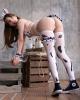
Full Bodyline “CENCORED”
#11
(12-08-2025, 10:45 PM)kiwi6969 Wrote: That's pretty cool. We really need a segmentation ai models to make it more accurate. I tried running it myself this 512 model https://github.com/samhaswon/skin_segmen...tag/v0.0.1 and seems to run it quite ok https://pixeldrain.com/u/xLMAzBvm
How did you get this to run? When selecting the ONNX file within hotscreen mine doesnt do anything
  Reply
#12
this model looks promising - if it could be implemented into hotscreen that could create a very satisfying effect
  Reply
#13
every video has different skin colors, is there a way to pick a rgb code on the video and use it for reference?
  Reply
#14
love this! Now i can only see my girl censored as she should be. except for alpha men
  Reply
#15
I can't believe I only discovered this now!

I have been playing around with the `Custom Body Line Clipping` past hours and this is the closest I can get to full body censoring.

It's a different kind of censoring than I am used to. I had repeating text over all body parts but now I can make the clothes only visible which is really too hot for me ... nice variation.

I have only been having trouble to not censor a lot more than the body. Some photos are behaving great and other, the wall or a lamp or a painting are being censored as well.
I have to set the height and with of my filters pretty big so most of the body is covered but that means the censoring also happens outside of the body ...

This is related to one of the feature requests to more accurately recognise legs and arms or simply the full body.
To censor the legs and arms, I have to put for example 400% on breasts, armpits, female genitalia etc.


I haven't been able to get the `segmentation` workign.
The `live` window pops up with me after install and start but then the window gets copied inside itself endlessly.
  Reply
#16
(12-05-2025, 11:49 PM)endofbeen Wrote: Hey guys!
So I made a thread in the other community the other day about features I wished we had — and while messing around trying to make one of them myself, I somehow ended up with a pretty solid prototype preset. So I’m dropping it here!


This preset basically lets you fill the body line with images or text, which is super close to a feature a bunch of us really wanted.
I’ve got looping “CENSORED” text running on it right now and I’m honestly super happy with how it looks lol.


Using it is stupid simple: just put this above the filter you want to follow the body line, and then adjust the detection area. That’s literally it.

One thing though — this was made by an amateur (me) staring at ChatGPT for hours, so the skin-tone detection can sometimes spill into colors that are kinda similar to skin. If anyone here who actually knows programming can help improve it, I’d seriously appreciate it.


I mainly watch anime, so I tuned it for that, but it seems to detect real porn reasonably well too.
Check the sample images for both anime and live-action to see how it behaves!


I also added a few tweakable settings, so feel free to play with them if something feels off.
There’s still tons of room for improvement, but grabbing the screen colors and using them directly as a mask actually seems like a pretty powerful trick under the current system.
Give it a try and let me know what you think!

I played around some more with this.
The `Custom Body Line Clipping` has now officially become my default filter.  Heart
Currently I am using 2 collections. I use a lot of filters because very body part has a different size so 100% for `Female genitalia` for example is a lot smaller than `Female breats` ... The first usually has a lot higher % to show.
1. Female
1.1. Repeated text - Armpits
2.2 Repeated text - Female breasts
2.3 Repeated text - Belly
2.4 Repeated text - Feet
2.5 Repeated text - Butt
2.6 Repeated text - Female face
2.7 Female Genitalia and anus
2.8 Custom Body Line Clipping < This keeps all the above only on the female skin. An interesting side effect is that clothes do show. Less interesting is that, because of the big hieght and width of the above filters, parts outside the body still show censoring. Also on the face, the mouth and eyes are now visible in a weird way because they are not part of the `body line clipping` i guess.
Next, I apply filters to override parts I really don't want to see.
2.9 Repeated Text - Female face - Less height and width than 2.6 so the censoring does not get outside of the face but the eyes and mount are covered. Also a bit of panning in height so exactly the eyes and mouth eyes are covered and are not visible through the above clipping.

The next 3 are used to cover the parts the above clipping is still showing.
2.10 Image over eyes - Female face Eyes
2.11 Image over eyes - Female breasts
2.12 Image over eyes - Female genitalia

2.Male: Always above the others
2.1 Male face and breasts exposed
2.2 Male genitala

---

I have been trying to apply a pixelation or blurring over the clothes but this doesn't work because:
1. Every filter above the clipping gets clipped. Meaning the clothes will still show.
2. Every filter below the clipping is shown. Meaning the clothes get censored but the clipping is no longer applied correct.y


---

Any advice on how to improve this
I am willing to share collections if anyone is interested.

My feature requests would beL:
1. Is it possible to apply the cllipping without ignoring the clothes?
2. Is it possible to create something similar but only select clothed parts? It would be awesome if we can apply different censoring on skin and clothes separately.
  Reply
#17
(01-18-2026, 10:07 AM)WeberKurz Wrote:
(12-05-2025, 11:49 PM)endofbeen Wrote: Hey guys!
So I made a thread in the other community the other day about features I wished we had — and while messing around trying to make one of them myself, I somehow ended up with a pretty solid prototype preset. So I’m dropping it here!


This preset basically lets you fill the body line with images or text, which is super close to a feature a bunch of us really wanted.
I’ve got looping “CENSORED” text running on it right now and I’m honestly super happy with how it looks lol.


Using it is stupid simple: just put this above the filter you want to follow the body line, and then adjust the detection area. That’s literally it.

One thing though — this was made by an amateur (me) staring at ChatGPT for hours, so the skin-tone detection can sometimes spill into colors that are kinda similar to skin. If anyone here who actually knows programming can help improve it, I’d seriously appreciate it.


I mainly watch anime, so I tuned it for that, but it seems to detect real porn reasonably well too.
Check the sample images for both anime and live-action to see how it behaves!


I also added a few tweakable settings, so feel free to play with them if something feels off.
There’s still tons of room for improvement, but grabbing the screen colors and using them directly as a mask actually seems like a pretty powerful trick under the current system.
Give it a try and let me know what you think!

I played around some more with this.
The `Custom Body Line Clipping` has now officially become my default filter.  Heart
Currently I am using 2 collections. I use a lot of filters because very body part has a different size so 100% for `Female genitalia` for example is a lot smaller than `Female breats` ... The first usually has a lot higher % to show.
1. Female
1.1. Repeated text - Armpits
2.2 Repeated text - Female breasts
2.3 Repeated text - Belly
2.4 Repeated text - Feet
2.5 Repeated text - Butt
2.6 Repeated text - Female face
2.7 Female Genitalia and anus
2.8 Custom Body Line Clipping < This keeps all the above only on the female skin. An interesting side effect is that clothes do show. Less interesting is that, because of the big hieght and width of the above filters, parts outside the body still show censoring. Also on the face, the mouth and eyes are now visible in a weird way because they are not part of the `body line clipping` i guess.
Next, I apply filters to override parts I really don't want to see.
2.9 Repeated Text - Female face - Less height and width than 2.6 so the censoring does not get outside of the face but the eyes and mount are covered. Also a bit of panning in height so exactly the eyes and mouth eyes are covered and are not visible through the above clipping.

The next 3 are used to cover the parts the above clipping is still showing.
2.10 Image over eyes - Female face Eyes
2.11 Image over eyes - Female breasts
2.12 Image over eyes - Female genitalia

2.Male: Always above the others
2.1 Male face and breasts exposed
2.2 Male genitala

---

I have been trying to apply a pixelation or blurring over the clothes but this doesn't work because:
1. Every filter above the clipping gets clipped. Meaning the clothes will still show.
2. Every filter below the clipping is shown. Meaning the clothes get censored but the clipping is no longer applied correct.y


---

Any advice on how to improve this
I am willing to share collections if anyone is interested.

My feature requests would beL:
1. Is it possible to apply the cllipping without ignoring the clothes?
2. Is it possible to create something similar but only select clothed parts? It would be awesome if we can apply different censoring on skin and clothes separately.

I'd love to see what you've got so far! I've been trying a similar thing, but it sounds like you've got a lot going on in that collection. I'd be curious to see how much it beats my much lazier version by lol
  Reply
#18
(01-18-2026, 10:07 AM)WeberKurz Wrote: I am willing to share collections if anyone is interested.
Please share :-)
  Reply
#19
Here you go, a Google drive folder link.

Any feedback welcome  Smile
I feel like I could learn how to use hotscreen better.
Curious how others are using it.
  Reply
#20
(01-20-2026, 04:52 PM)WeberKurz Wrote: Here you go, a Google drive folder link.

Any feedback welcome  Smile
I feel like I could learn how to use hotscreen better.
Curious how others are using it.
This is amazing thank you! You could also post it in the collections tab to get more eyes on it, if you wanted.
"I believe I was trying to say something about the duality of man sir!"
  Reply


Forum Jump:


Users browsing this thread: screat, tormoo3, 3 Guest(s)